
The short answer
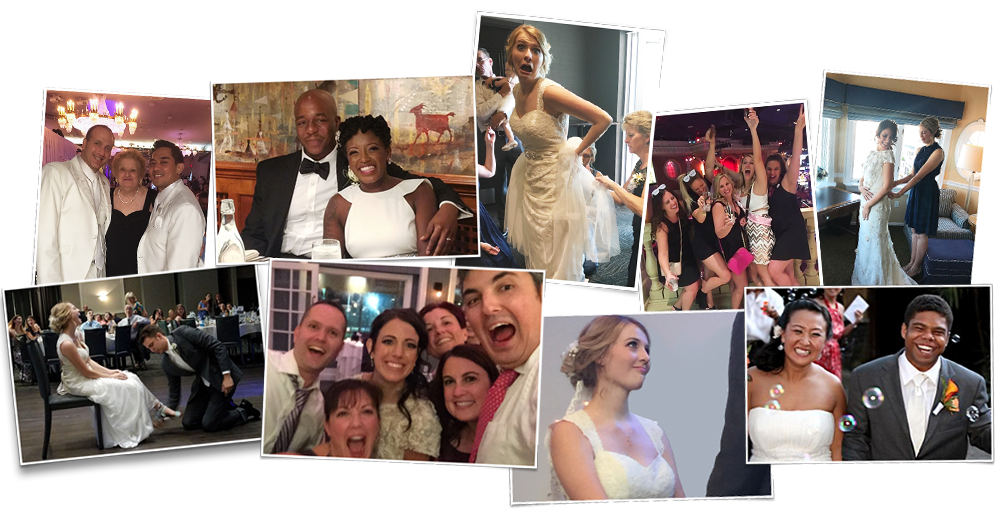
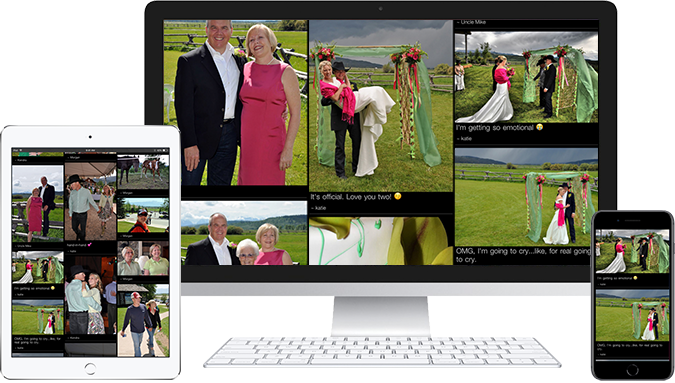
TacBoard collects your wedding guests' photos by text message or QR code and shows them on a live photo stream at the reception, with no app for guests to download. You get a phone number for the wedding up to 12 months ahead, so relatives can send throwbacks before the day, and every photo lands in a private gallery that never expires. It costs $159 one time with a text number, or $49 for QR code only.
- Guests
- Text a photo to your wedding's number, or scan a QR code. No app.
- Before the wedding
- Collect throwbacks and engagement photos for the screen
- At the reception
- Photos appear on any TV or projector within seconds
- After
- Download every photo in one click. The gallery never expires.
How couples use TacBoard, from engagement to honeymoon
| When | What to do |
|---|---|
| Right after booking | Buy the gallery (up to 12 months before the date) and get your wedding's number and QR code. Choose from 18 gallery themes and add your own cover photo. |
| Save-the-dates or wedding website | Add the number and ask family to text throwback photos of the two of you. |
| Bridal shower and bachelor/bachelorette parties | Use the same number so photos from every pre-wedding event build up in the gallery. |
| Rehearsal dinner | Put the stream on a TV for a preview, and give the wedding party a head start. |
| Reception | Stream on the venue screen or projector all night. Guests text or scan, and photos appear in seconds. |
| The week after | Download the gallery and relive the night on your honeymoon, before the photographer's gallery arrives. |
| 30 days after | The number stops accepting texts. The gallery stays available to view, share and download. |
Why texting works better than an app at a wedding
Wedding guests range from teenage cousins to great-grandparents. App-based photo sharing loses most of the older half of the room, and QR codes still lose guests who do not know how to scan one. Almost everyone knows how to text a photo.
With TacBoard's $159 plan, guests can do either: text your wedding's number or scan the QR code on the table card. The first time a guest texts, TacBoard asks for their name, and every photo they send after that carries it. You will know exactly which aunt took that photo.
Photos from the QR code page keep their original quality. Photos sent by text arrive at the size the guest's carrier delivers over MMS, which is usually compressed but plenty for a big screen and for sharing.
TacBoard compared with other ways to collect wedding photos
| Method | Guests need | Live on screen | Photos end up |
|---|---|---|---|
| TacBoard | Texting or a QR code | Yes, within seconds | One private gallery that never expires |
| Wedding hashtag | A public social account and remembering the tag | No | Scattered and public, many never tagged |
| Shared phone album | The same phone platform or an account | No | Mixed with guests' personal albums |
| Disposable cameras | To finish the roll and leave the camera | No | Weeks later, after developing, with many lost |
| Event photo apps | To download an app or open a link | Some | Often deleted after 30 days to 18 months |
Comparing services? See TacBoard vs Kululu, vs GuestPix, vs GuestSnap and vs PhotoStream.Live, or the 2026 roundup.
Setting up the screen at your reception
- 1
Ask your venue or DJ about a screen
Most venues have a TV or projector, and many DJs bring one. You need one with an HDMI input.
- 2
Bring a laptop
Use your own laptop with Chrome, or one from a friend or the DJ. A laptop runs the stream, and the screen displays it.
- 3
Connect and go live
Plug in HDMI, open your gallery and click Display Live. Step-by-step guides: TV, projector, Chromecast.
- 4
Put signs on the tables
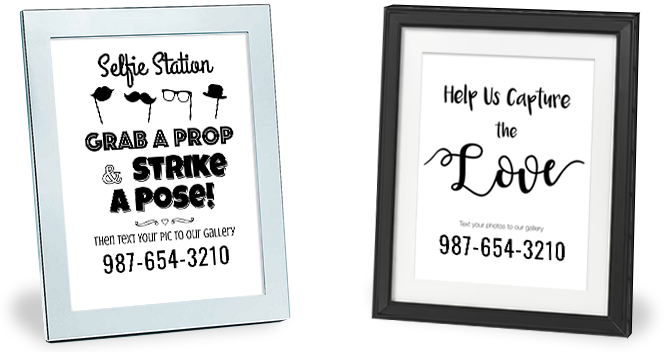
The free wedding sign shop makes table cards and welcome signs with your number and QR code.
- 5
Hand it to someone you trust
Ask a friend or your coordinator to keep an eye on the queue. An automatic content filter checks every photo and message. Anything it flags waits in a queue where you approve or delete it, and you can block a sender.
Wording for your website, invitations and signs
Wedding website or save-the-date
Help us fill the screen at our reception! Text your favorite photos of the two of us to (555) 555-5555.
Reception table card
Snap it, text it, see it. Send your photos to (555) 555-5555 and watch for them on the big screen.
Welcome sign
No app needed. Text your photos to (555) 555-5555 or scan the code, and help us capture the night.
Your real number appears as soon as you create your gallery. The wedding sign shop and hashtag sign shop have ready-made designs.
Wedding pricing
| Plan | Price | How guests send photos | Own phone number | Best for |
|---|---|---|---|---|
| QR Code | $49 One time, per event | Scan a QR code or open a link, upload from the phone's browser | No | Events outside the US and Canada, smaller budgets, younger crowds |
| SMS & QR Code | $159 One time, per event | Text photos to the event's own number, or use the QR code | Yes, active until 30 days after the event | Weddings, awards nights, memorials and any crowd with older guests |
| Unlimited SMS & QR Code | $99/month Monthly, cancel anytime ($198 due at signup covers the first two months) | Text or QR code | Yes, stays on while subscribed | Venues, schools, associations and planners running events every month |
Every plan includes unlimited guests and photos, the live photo stream, a private gallery that never expires and the free sign shop. See pricing
Most couples choose the $159 SMS & QR Code plan so every guest can text. For a destination wedding outside the US and Canada, the $49 QR Code plan works anywhere. Unlimited guests and unlimited photos on every plan.
Are you a wedding venue? The monthly plan gives every wedding you host a live photo wall. See TacBoard for venues.
Frequently asked questions
How do wedding guests send photos to TacBoard?
They text photos to your wedding's own phone number, or scan the QR code on your signs and upload from their phone's browser. No app or account.
How much does TacBoard cost for a wedding?
$159 one time with a text number and QR code, or $49 for QR code only. Unlimited guests and unlimited photos on every plan.
Can we collect photos before the wedding?
You can buy up to 12 months before the event and start collecting photos right away.
How long do we keep our wedding photos?
Your event number accepts texts until 30 days after the event date. The gallery itself does not expire: you can view, share and download it for as long as you like.
Can we stop embarrassing photos showing on the screen?
An automatic content filter checks every photo and message. Anything it flags waits in a queue where you approve or delete it, and you can block a sender.
Do guests need Wi-Fi?
Guests who text need cell signal. Guests using the QR code need cell data or Wi-Fi. The laptop running the screen needs Wi-Fi or a hotspot. Check the venue with Try TacBoard.
Can guests send videos?
TacBoard collects photos and short text messages. It does not accept video uploads.
Does it work at a destination wedding?
Text-message uploads work in the United States and Canada. QR code uploads work worldwide.
Last reviewed by the TacBoard team.